Working across macOS locally and a remote RHEL system through OpenText Exceed TurboX creates a clipboard shortcut mismatch. Linux applications expect Ctrl-Shift-C / Ctrl-Shift-V for copy and paste; macOS expects Cmd-C / Cmd-V. Switching mental models every time the active window changes is error-prone and slow. This post covers a setup that makes both shortcut conventions work regardless of which application is in focus.
The Problem
| Context | Copy | Paste |
|---|---|---|
| macOS native apps | Cmd-C |
Cmd-V |
| Linux terminal via Exceed | Ctrl-Shift-C |
Ctrl-Shift-V |
| gVim via Exceed | "+y |
"+gP |
The goal is to be able to use either convention and have it work correctly -- mapping macOS shortcuts into Linux ones when Exceed is active, and mapping Linux shortcuts into macOS ones everywhere else.
eXceed Usage
Terminal Emulator
A terminal emulator running inside Exceed already supports the Linux convention natively -- no configuration is required:
Ctrl-Shift-C-- copy to system clipboardCtrl-Shift-V-- paste from system clipboard
gVim: Adding Ctrl-Shift-C / Ctrl-Shift-V
Vim does not use the system clipboard by default. Add the following to .vimrc to map the Linux terminal shortcuts to yank and paste from the system clipboard (+ register):
" Map Ctrl-Shift-C / Ctrl-Shift-V to system clipboard copy / paste
:map <C-S-c> "+y
:map <C-S-v> "+gP
Karabiner-Elements: Unifying the Shortcuts on macOS
Karabiner-Elements is a keyboard remapper for macOS. Two sets of rules are needed -- one for all applications except Exceed, and one for Exceed specifically.
Rule Set 1: Ctrl-Shift shortcuts outside Exceed
For every application except Exceed, map the Linux-style shortcuts to their macOS equivalents. This means pressing Ctrl-Shift-C in any native macOS app triggers Cmd-C, so the Linux muscle memory works everywhere.
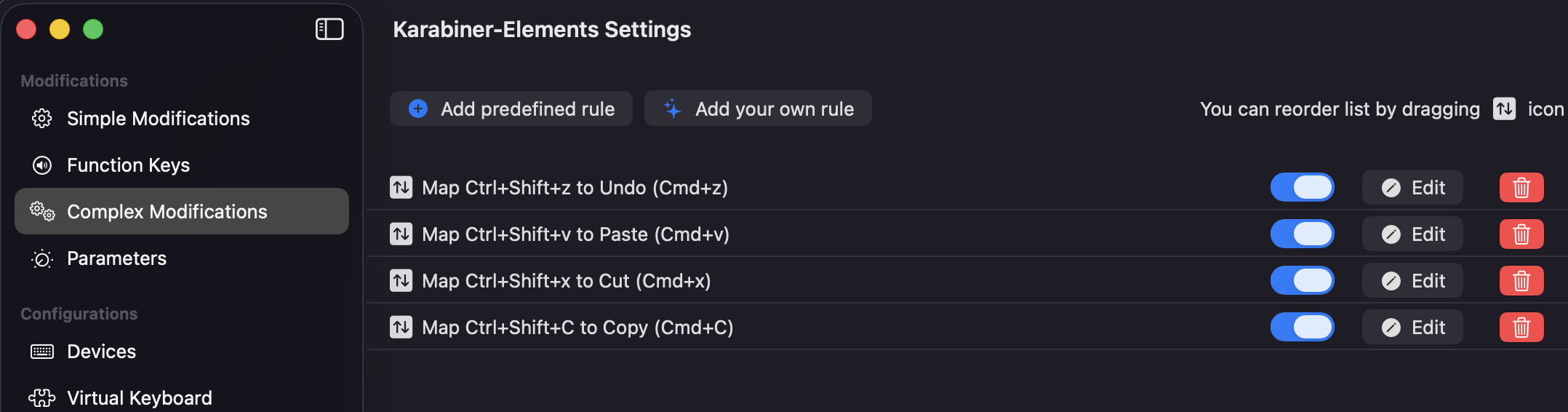
The four rules (copy, paste, cut, undo):
{
    "description": "Map Ctrl+Shift+C to Copy (Cmd+C)",
    "manipulators": [
        {
            "conditions": [
                {
                    "bundle_identifiers": [
                        "^com\\.OpenText\\.Exceed-TurboX-Client$"
                    ],
                    "type": "frontmost_application_unless"
                }
            ],
            "from": {
                "key_code": "c",
                "modifiers": { "mandatory": ["control", "shift"] }
            },
            "to": [{ "key_code": "c", "modifiers": ["left_command"] }],
            "type": "basic"
        }
    ]
}
{
    "description": "Map Ctrl+Shift+V to Paste (Cmd+V)",
    "manipulators": [
        {
            "conditions": [
                {
                    "bundle_identifiers": [
                        "^com\\.OpenText\\.Exceed-TurboX-Client$"
                    ],
                    "type": "frontmost_application_unless"
                }
            ],
            "from": {
                "key_code": "v",
                "modifiers": { "mandatory": ["control", "shift"] }
            },
            "to": [{ "key_code": "v", "modifiers": ["left_command"] }],
            "type": "basic"
        }
    ]
}
{
    "description": "Map Ctrl+Shift+X to Cut (Cmd+X)",
    "manipulators": [
        {
            "conditions": [
                {
                    "bundle_identifiers": [
                        "^com\\.OpenText\\.Exceed-TurboX-Client$"
                    ],
                    "type": "frontmost_application_unless"
                }
            ],
            "from": {
                "key_code": "x",
                "modifiers": { "mandatory": ["control", "shift"] }
            },
            "to": [{ "key_code": "x", "modifiers": ["left_command"] }],
            "type": "basic"
        }
    ]
}
{
    "description": "Map Ctrl+Shift+Z to Undo (Cmd+Z)",
    "manipulators": [
        {
            "conditions": [
                {
                    "bundle_identifiers": [
                        "^com\\.OpenText\\.Exceed-TurboX-Client$"
                    ],
                    "type": "frontmost_application_unless"
                }
            ],
            "from": {
                "key_code": "z",
                "modifiers": { "mandatory": ["control", "shift"] }
            },
            "to": [{ "key_code": "z", "modifiers": ["left_command"] }],
            "type": "basic"
        }
    ]
}
Rule Set 2: Cmd shortcuts inside Exceed
When Exceed is the active application, the reverse mapping applies: Cmd-C/V/X/Z are translated into Ctrl-Shift-C/V/X/Z so they reach gVim and other Linux applications with the shortcuts they expect.
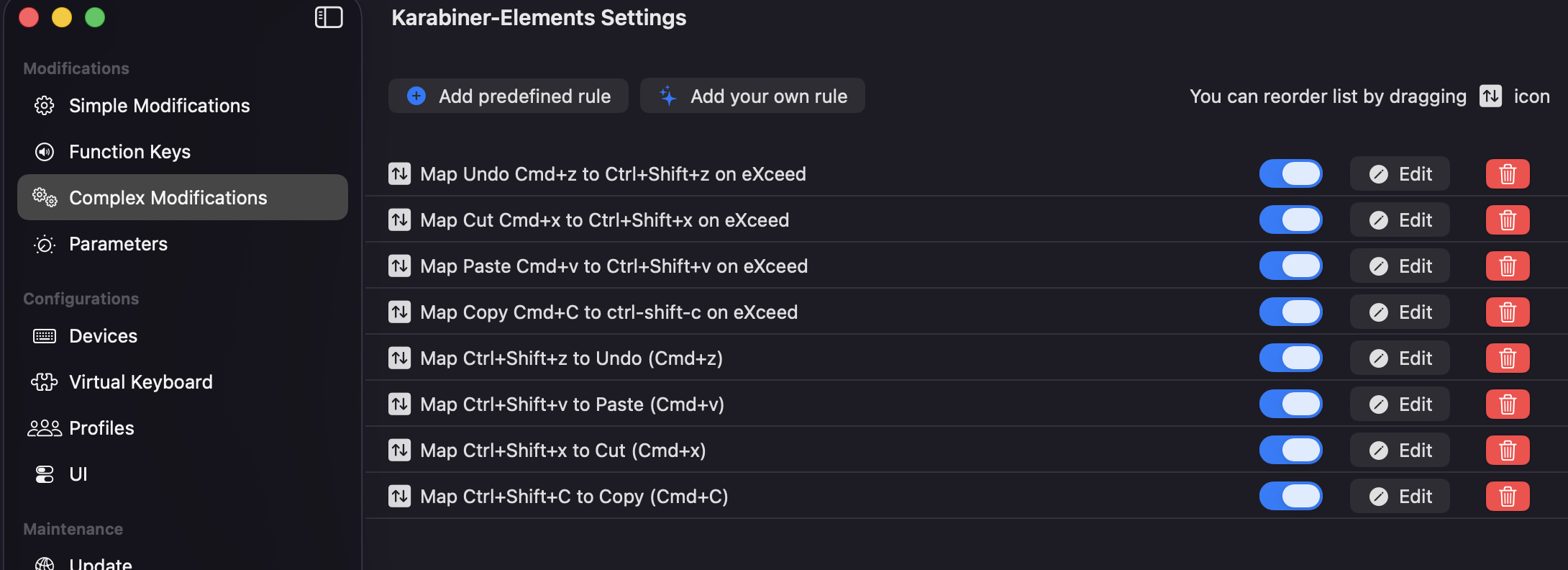
{
    "description": "Map Copy Cmd+C to Ctrl+Shift+C on Exceed",
    "manipulators": [
        {
            "conditions": [
                {
                    "bundle_identifiers": [
                        "^com\\.OpenText\\.Exceed-TurboX-Client$"
                    ],
                    "type": "frontmost_application_if"
                }
            ],
            "from": {
                "key_code": "c",
                "modifiers": { "mandatory": ["left_command"] }
            },
            "to": [{ "key_code": "c", "modifiers": ["control", "shift"] }],
            "type": "basic"
        }
    ]
}
{
    "description": "Map Paste Cmd+V to Ctrl+Shift+V on Exceed",
    "manipulators": [
        {
            "conditions": [
                {
                    "bundle_identifiers": [
                        "^com\\.OpenText\\.Exceed-TurboX-Client$"
                    ],
                    "type": "frontmost_application_if"
                }
            ],
            "from": {
                "key_code": "v",
                "modifiers": { "mandatory": ["left_command"] }
            },
            "to": [{ "key_code": "v", "modifiers": ["control", "shift"] }],
            "type": "basic"
        }
    ]
}
{
    "description": "Map Cut Cmd+X to Ctrl+Shift+X on Exceed",
    "manipulators": [
        {
            "conditions": [
                {
                    "bundle_identifiers": [
                        "^com\\.OpenText\\.Exceed-TurboX-Client$"
                    ],
                    "type": "frontmost_application_if"
                }
            ],
            "from": {
                "key_code": "x",
                "modifiers": { "mandatory": ["left_command"] }
            },
            "to": [{ "key_code": "x", "modifiers": ["control", "shift"] }],
            "type": "basic"
        }
    ]
}
{
    "description": "Map Undo Cmd+Z to Ctrl+Shift+Z on Exceed",
    "manipulators": [
        {
            "conditions": [
                {
                    "bundle_identifiers": [
                        "^com\\.OpenText\\.Exceed-TurboX-Client$"
                    ],
                    "type": "frontmost_application_if"
                }
            ],
            "from": {
                "key_code": "z",
                "modifiers": { "mandatory": ["left_command"] }
            },
            "to": [{ "key_code": "z", "modifiers": ["control", "shift"] }],
            "type": "basic"
        }
    ]
}
Result
With both rule sets in place:
| Action | Outside Exceed | Inside Exceed |
|---|---|---|
| Copy | Ctrl-Shift-C or Cmd-C |
Ctrl-Shift-C or Cmd-C |
| Paste | Ctrl-Shift-V or Cmd-V |
Ctrl-Shift-V or Cmd-V |
| Cut | Ctrl-Shift-X or Cmd-X |
Ctrl-Shift-X or Cmd-X |
| Undo | Ctrl-Shift-Z or Cmd-Z |
Ctrl-Shift-Z or Cmd-Z |
Both shortcut conventions work in both contexts. Switching between a macOS application and a remote RHEL session in Exceed requires no change in keyboard habit.
Managing Karabiner Configuration with Stow
Karabiner-Elements stores its configuration as JSON at ~/.config/karabiner/karabiner.json. This makes it straightforward to track in a dotfiles repository and deploy with GNU Stow.
In the dotfiles repo, place the config at config/karabiner/karabiner.json to mirror the target path. Then create the directory and stow it:
mkdir -p $HOME/.config/karabiner
stow karabiner -t $HOME/.config/karabiner
This creates a symlink from ~/.config/karabiner/karabiner.json into the dotfiles repo, so any edits made via the Karabiner-Elements UI are immediately reflected in the tracked file.
The Karabiner config for this setup is included in morganp/dotfiles.