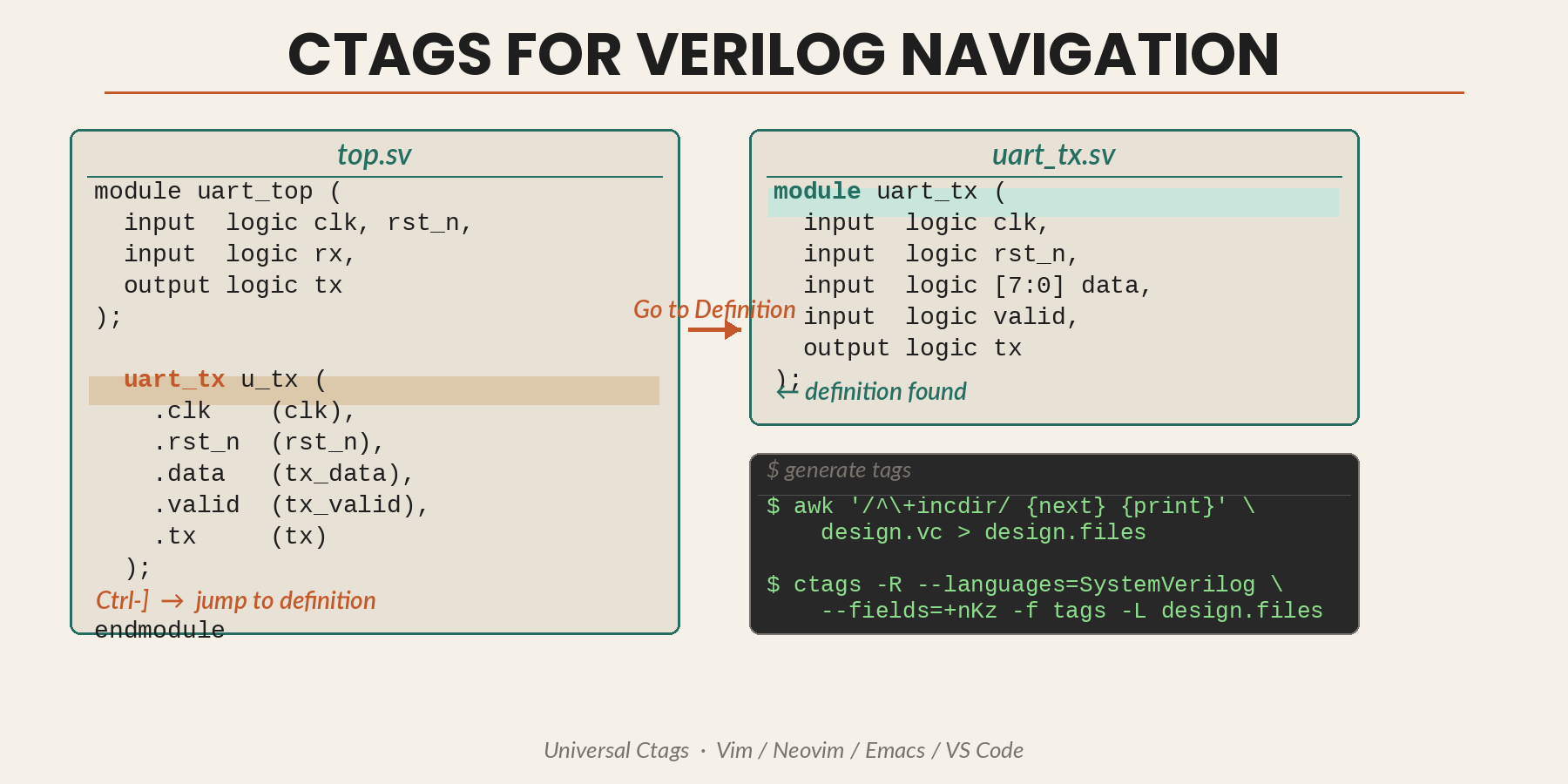
Navigating a large Verilog or SystemVerilog codebase without tag-based Go to Definition is painful. This tutorial shows how to generate and use ctags for projects that use a design.vc file list — common in simulators like Verilator, VCS, and xrun.
Prerequisites
- Universal Ctags (preferred over Exuberant Ctags — it has better SystemVerilog support)
Install on macOS:
brew install universal-ctags
On Linux:
sudo apt install universal-ctags   # Debian/Ubuntu
brew install universal-ctags       # Homebrew on Linux
Check your version:
ctags --version
1. Understand the design.vc format
A typical design.vc looks like this:
+incdir+./rtl
+incdir+./ip
./rtl/top.sv
./rtl/subsystem.sv
./ip/uart/uart.sv
- Lines beginning with
+incdir+define include paths. - Remaining lines are source files (usually
.v/.sv). - Relative paths are normally relative to the
design.vclocation.
2. Create a file list for ctags
ctags expects plain file paths. Strip the +incdir+ lines and any comments with awk:
awk '
  /^\+incdir\+/ {next}
  /^\s*#/ {next}
  /^\s*$/ {next}
  {print}
' design.vc > design.files
If you want the include paths separately for other tools:
grep '^\+incdir\+' design.vc | sed 's/^\+incdir\+//' > design.incdirs
Note: ctags does not use include paths for preprocessing; it parses files directly. Make sure all files that define symbols are listed in design.files.
3. Generate the tags file
ctags -R --languages=SystemVerilog --fields=+nKz -f tags -L design.files
Flags:
-L design.files— read source paths from the file list--languages=SystemVerilog— enables SV/Verilog parsing--fields=+nKz— includes line number, kind, and scope in each tag-f tags— write totags
4. Configure your editor
Vim / Neovim
Tell Vim to search upward from the current file for a tags file:
set tags=./tags;
Navigate with:
Ctrl-]— jump to definitionCtrl-t— jump back
Emacs
(setq tags-file-name "~/path/to/project/tags")
Navigate with M-. (jump) and M-* (back).
VS Code — ctags-companion extension
Install the Ctags Companion extension (gediminaszlatkus.ctags-companion).
Default settings that work well for SystemVerilog:
{
    "ctags-companion.command": "ctags -R --fields=+nKz",
    "ctags-companion.readtagsGoToDefinitionCommand": "readtags -en"
}
Once a tags file exists at the project root, Go to Definition (F12 / Cmd-click / right-click) will use it.
To make Go to Definition open in the current editor group rather than a split pane, add to your user settings:
{
    "workbench.editor.enablePreviewFromCodeNavigation": false,
    "workbench.editor.revealIfOpen": false
}
If split-pane behaviour persists, check that your keybinding is mapped to editor.action.revealDefinition and not editor.action.revealDefinitionAside.
5. Keep tags up to date
Regenerate after RTL changes:
ctags -R --languages=SystemVerilog --fields=+nKz -f tags -L design.files
Add a make target for convenience:
.PHONY: tags
tags:
    awk '/^\+incdir\+/ {next} /^\s*#/ {next} /^\s*$$/ {next} {print}' design.vc > design.files
    ctags -R --languages=SystemVerilog --fields=+nKz -f tags -L design.files
6. Auto-build on save
Vim: rebuild on BufWritePost
function! s:FindRoot() abort
  let l:vc = findfile('design.vc', expand('%:p:h').';')
  if !empty(l:vc)
    return fnamemodify(l:vc, ':h')
  endif
  let l:root = finddir('.git', expand('%:p:h').';')
  return empty(l:root) ? '' : fnamemodify(l:root, ':h')
endfunction

function! s:BuildTags() abort
  let l:root = s:FindRoot()
  if empty(l:root) | return | endif
  if filereadable(l:root . '/design.vc')
    execute 'silent !cd ' . shellescape(l:root) .
          \ ' && awk ''/^\+incdir\+/ {next} /^\s*#/ {next} /^\s*$/ {next} {print}'' design.vc > design.files' .
          \ ' && ctags -R --languages=SystemVerilog --fields=+nKz -f tags -L design.files'
  else
    execute 'silent !cd ' . shellescape(l:root) .
          \ ' && ctags -R --languages=SystemVerilog --fields=+nKz -f tags .'
  endif
endfunction

augroup verilog_tags
  autocmd!
  autocmd BufWritePost *.v,*.sv call s:BuildTags()
augroup END
Neovim: async job (non-blocking)
vim.opt.tags = { "./tags;" }

local function find_root()
  local vc = vim.fn.findfile("design.vc", vim.fn.expand("%:p:h") .. ";")
  if vc ~= "" then return vim.fn.fnamemodify(vc, ":h") end
  local git = vim.fn.finddir(".git", vim.fn.expand("%:p:h") .. ";")
  return git ~= "" and vim.fn.fnamemodify(git, ":h") or ""
end

local function build_tags()
  local root = find_root()
  if root == "" then return end
  local cmd
  if vim.fn.filereadable(root .. "/design.vc") == 1 then
    cmd = "cd " .. vim.fn.shellescape(root) ..
      " && awk '/^\\+incdir\\+/ {next} /^\\s*#/ {next} /^\\s*$/ {next} {print}' design.vc > design.files" ..
      " && ctags -R --languages=SystemVerilog --fields=+nKz -f tags -L design.files"
  else
    cmd = "cd " .. vim.fn.shellescape(root) ..
      " && ctags -R --languages=SystemVerilog --fields=+nKz -f tags ."
  end
  vim.fn.jobstart(cmd, { detach = true })
end

vim.api.nvim_create_autocmd("BufWritePost", {
  pattern = { "*.v", "*.sv" },
  callback = build_tags,
})
gutentags plugin
If you prefer a plugin, gutentags can manage tag generation automatically. Use a small wrapper script so it handles design.vc:
#!/usr/bin/env bash
# ctags_from_design_vc.sh — place in PATH
set -euo pipefail

if [[ -f design.vc ]]; then
  awk '/^\+incdir\+/ {next} /^\s*#/ {next} /^\s*$/ {next} {print}' design.vc > design.files
  exec ctags -R --languages=SystemVerilog --fields=+nKz -f tags -L design.files
else
  exec ctags -R --languages=SystemVerilog --fields=+nKz -f tags .
fi
Then configure gutentags:
let g:gutentags_project_root = ['design.vc', '.git']
let g:gutentags_ctags_executable = 'ctags_from_design_vc.sh'
7. Troubleshooting
No tags generated — check that design.files has correct, accessible paths. Switch to absolute paths if relative ones fail.
Missing modules or interfaces — confirm your ctags supports SystemVerilog. Universal Ctags handles it; Exuberant Ctags does not.
Include paths not respected — ctags does not preprocess; it parses files directly. Ensure every file that defines a symbol is in design.files.
Summary
- Strip
+incdir+fromdesign.vcto createdesign.files. - Run
ctags -R --languages=SystemVerilog --fields=+nKz -f tags -L design.files. - Configure your editor (Vim / Neovim / Emacs / VS Code) to use the
tagsfile. - Automate regeneration on save so tags stay current.